← Onboarding
Section 01 — How to Book

How Guests Book

A complete walkthrough of the guest booking experience from route selection to confirmation — with real screenshots from the Ship&Play booking platform.

How Guests Can Start a Shipment

Every booking ends up in the same system — guests just have different starting points.

Guest Books Online
Guest visits your partner URL and completes the 4-step booking flow independently. Most common path — zero staff effort.
shipplay.com/travel
Concierge Books for Guest
Guest calls (855) 566-2085 and our Concierge team handles the entire booking. Ideal for less tech-savvy travelers or world cruise guests.
(855) 566-2085
Staff / Onboard Booking
Guest Services team books on behalf of guest (e.g. disembarkation shipments). Staff access a dedicated portal — contact Jake Case for credentials.
jcase@shipplay.com
Example
Partner Landing Page

What guests see when they arrive at your co-branded booking URL — Ship&Play branding paired with your cruise line, official partner logos, and a direct booking entry point.
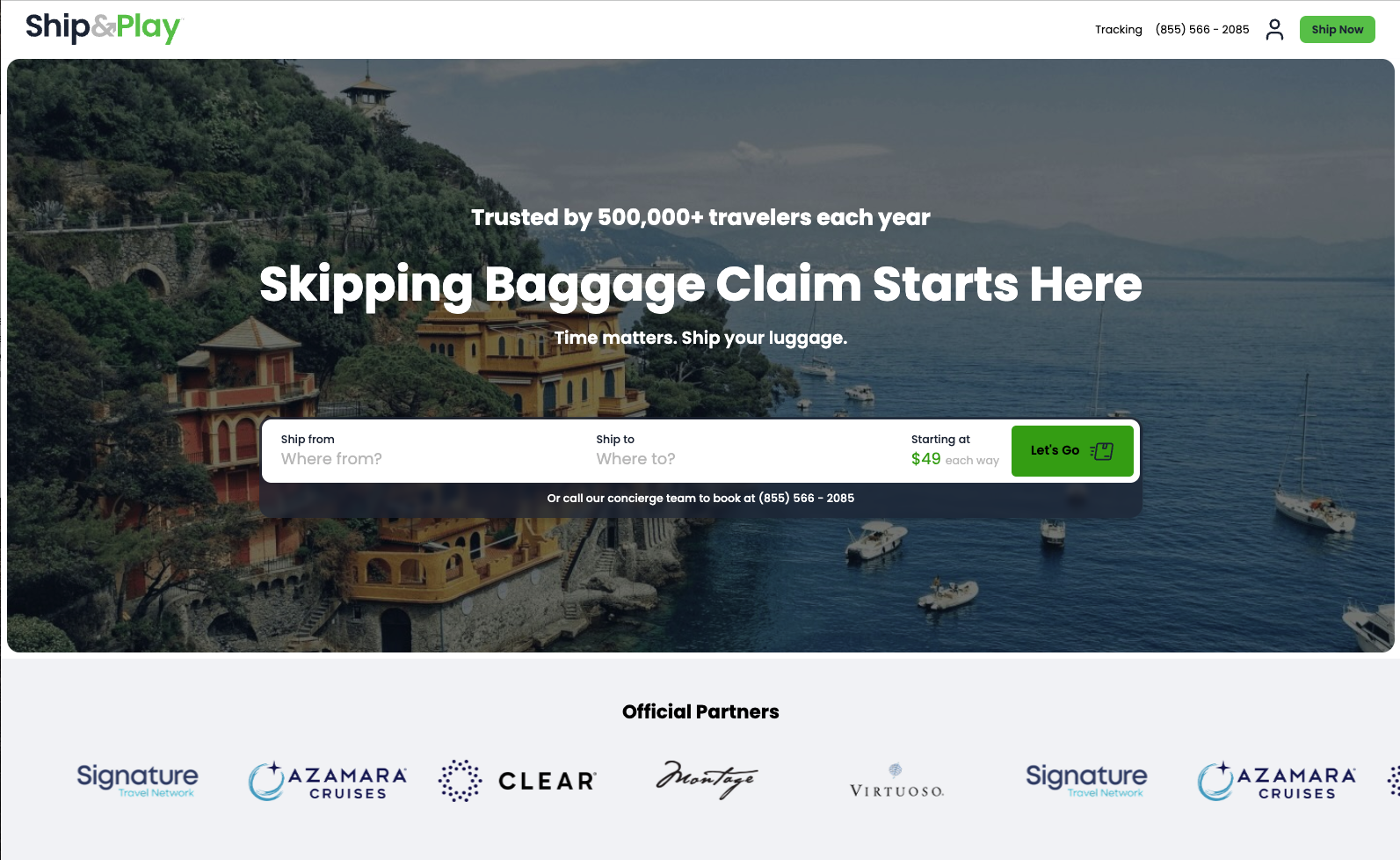
Partner Landing Page

The Simplified Online Booking Flow

This is exactly what a guest sees when booking at your partner URL. Each step is shown with a real screenshot.
1Routes
2Bag Types
3Shipping Options
4Traveler Info
5Order Summary
6Payment
7Confirmation
Next Steps
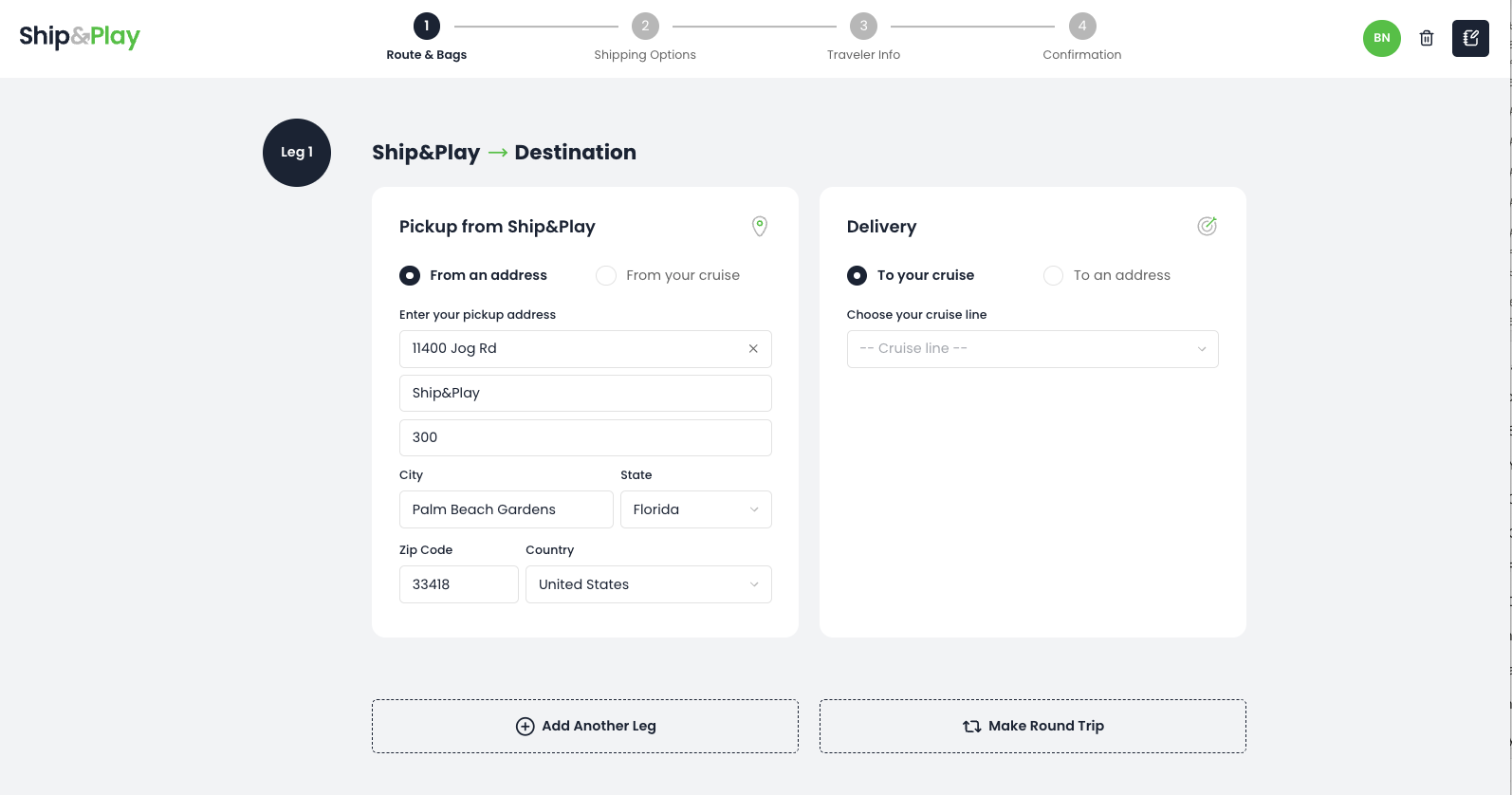
Step 1 — Route Selection
Key Training Points
  • Guests can ship to or from a cruise, hotel, or home address — the route toggle controls both pickup and delivery type.
  • When shipping to or from a cruise, guests select their cruise line, port, and itinerary — these are pre-filled options tied to your partnership.
  • Guests can add a return leg for a different destination, or use Make Round Trip to ship to and from the same locations in one booking.
Step 1 of 8
Step 2 — Bag Selection
Key Training Points
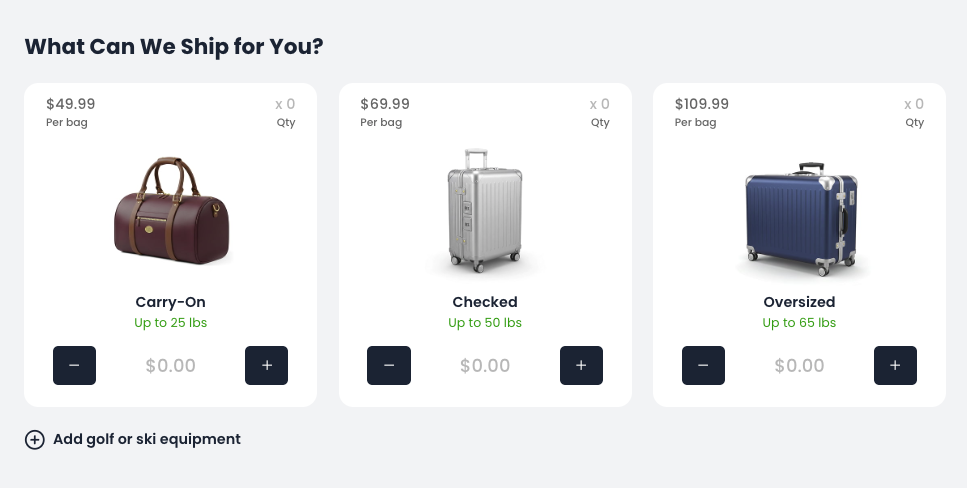
  • Guests use the + / − buttons on each bag card to select how many bags they need. Pricing is shown per bag, per way.
  • Three bag types: Carry-On (up to 25 lbs), Checked (up to 50 lbs), and Oversized (up to 65 lbs).
  • Guests can also add golf or ski equipment as an additional item type via the link below the bag cards.
Step 2 of 8
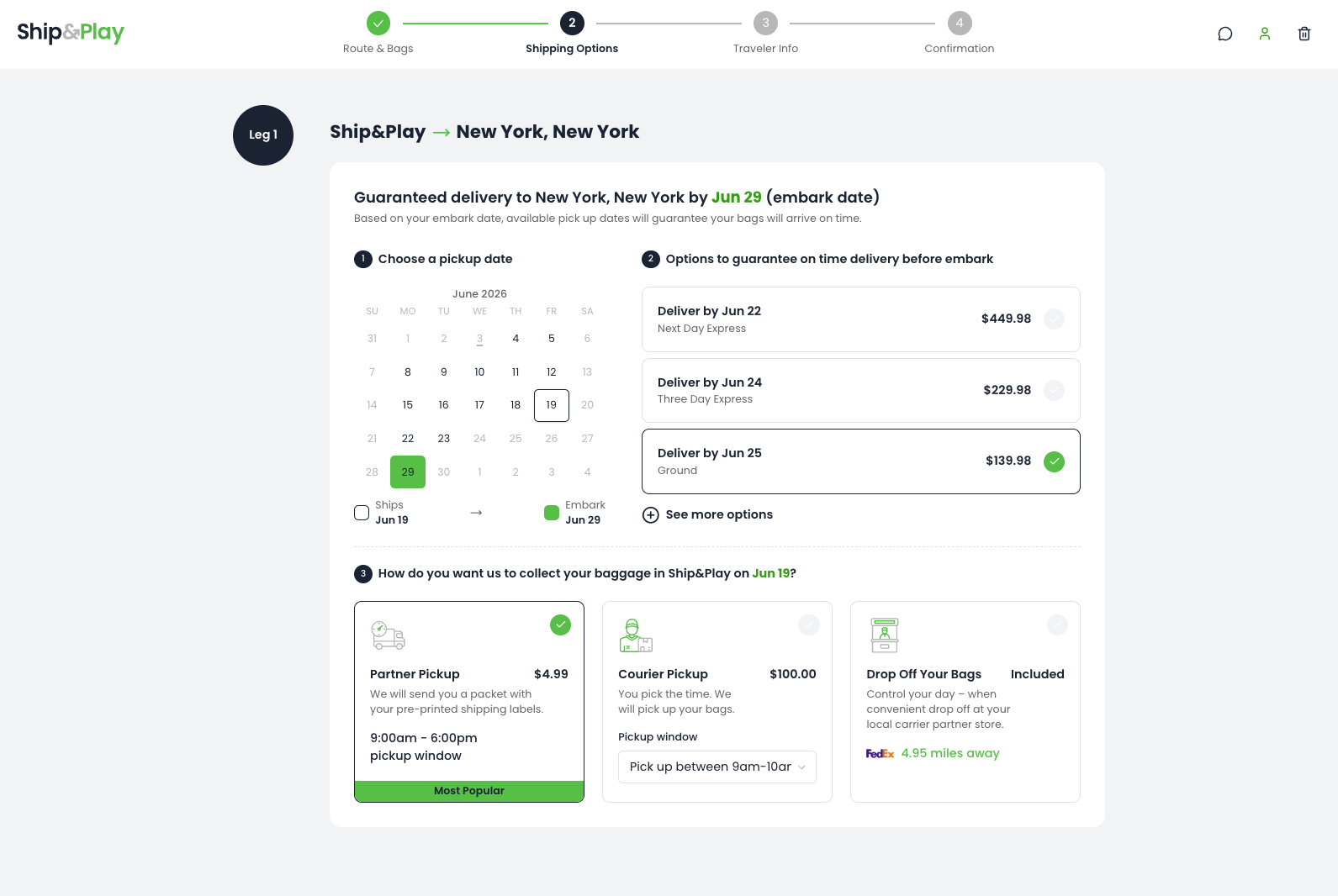
Step 3 — Shipping Options
Key Training Points
  • When a cruise itinerary is pre-filled, the calendar shows only pickup dates that guarantee on-time delivery before the embark date — guests cannot accidentally choose a date that's too late.
  • Guests shipping to a hotel or address select their desired delivery date first — available pickup options are then calculated based on that.
  • Three pickup options: Standard carrier pickup, drop off at a carrier location (included), or a courier with a 1-hour custom pickup window for an added fee.
Step 3 of 8
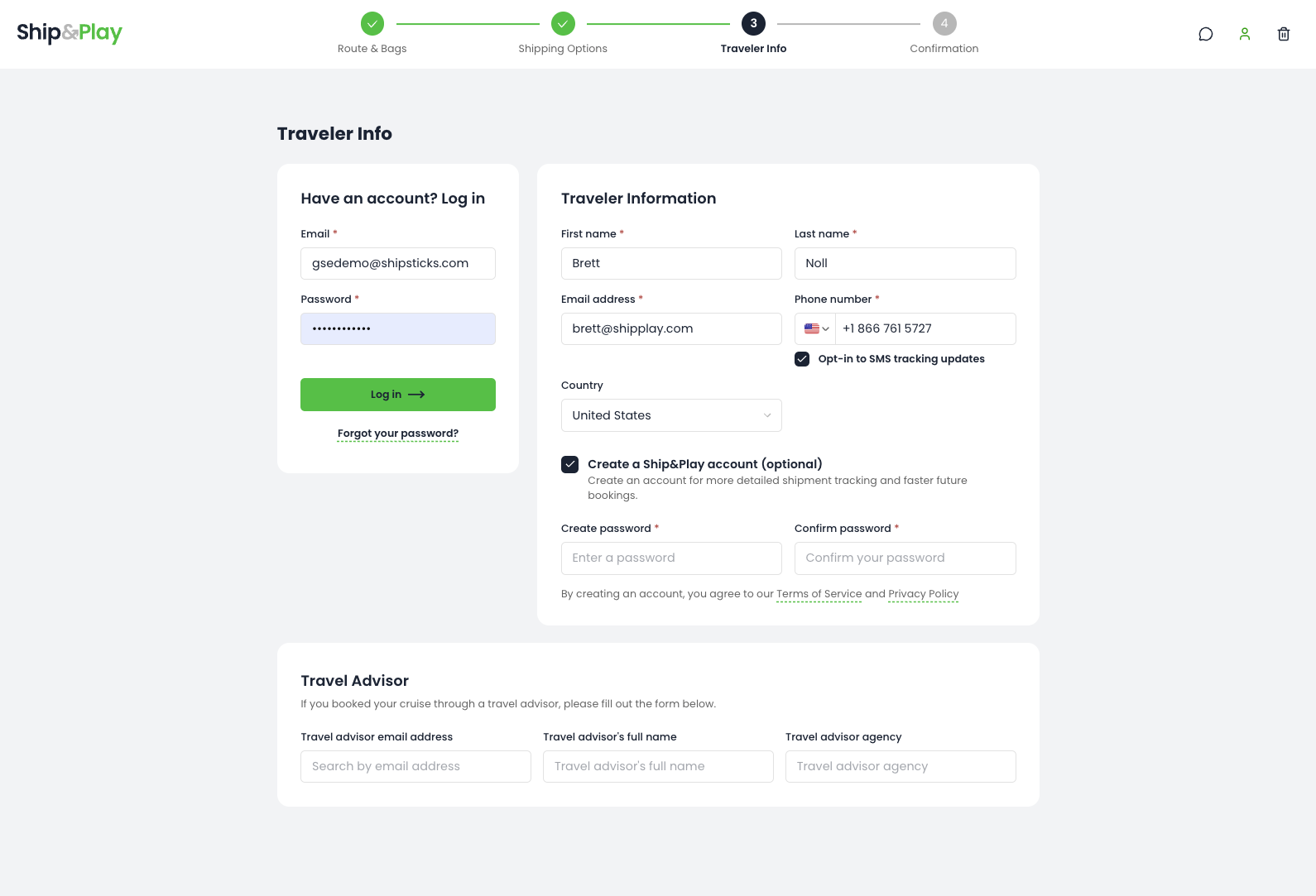
Step 4 — Traveler Info
Key Training Points
  • Guests enter their contact details and can opt in to SMS tracking updates for real-time bag status notifications throughout the shipment.
  • If referred by a travel advisor, guests can enter their agent's name, email, and agency — Ship&Play uses this to attribute the booking and apply any applicable commissions.
  • Guests can optionally create a Ship&Play account for faster future bookings and more detailed shipment tracking.
Step 4 of 8
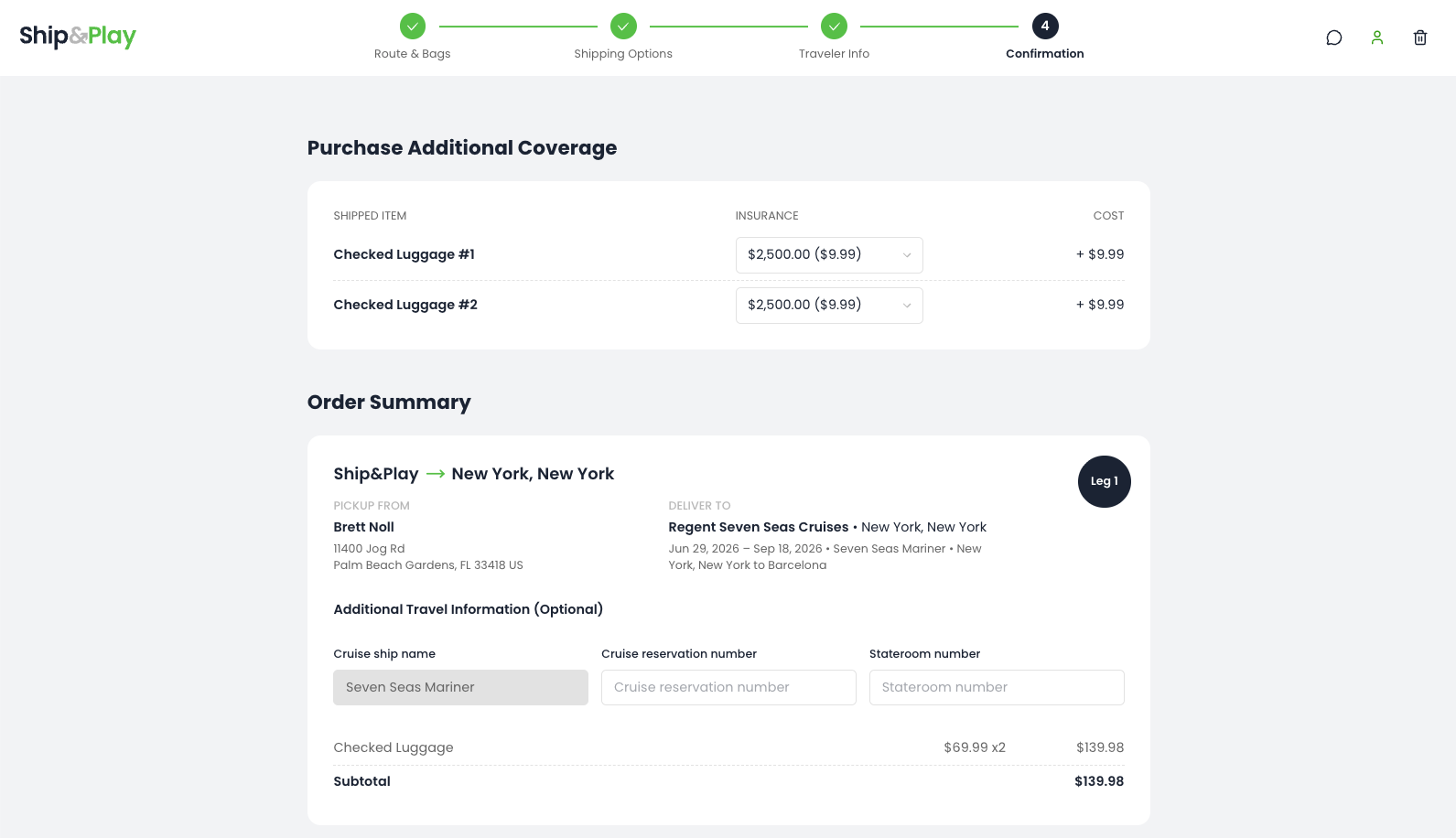
Step 5 — Insurance & Order Summary
Key Training Points
  • Every shipment includes complimentary insurance coverage. Guests can upgrade up to $7,500 of declared value for a small additional fee.
  • Guests review their full order summary including route, carrier, pickup date, and delivery date — all confirmed before payment.
  • Guests can enter their cruise confirmation number and stateroom number here — this ensures seamless bag delivery to the right cabin on arrival.
Step 5 of 8
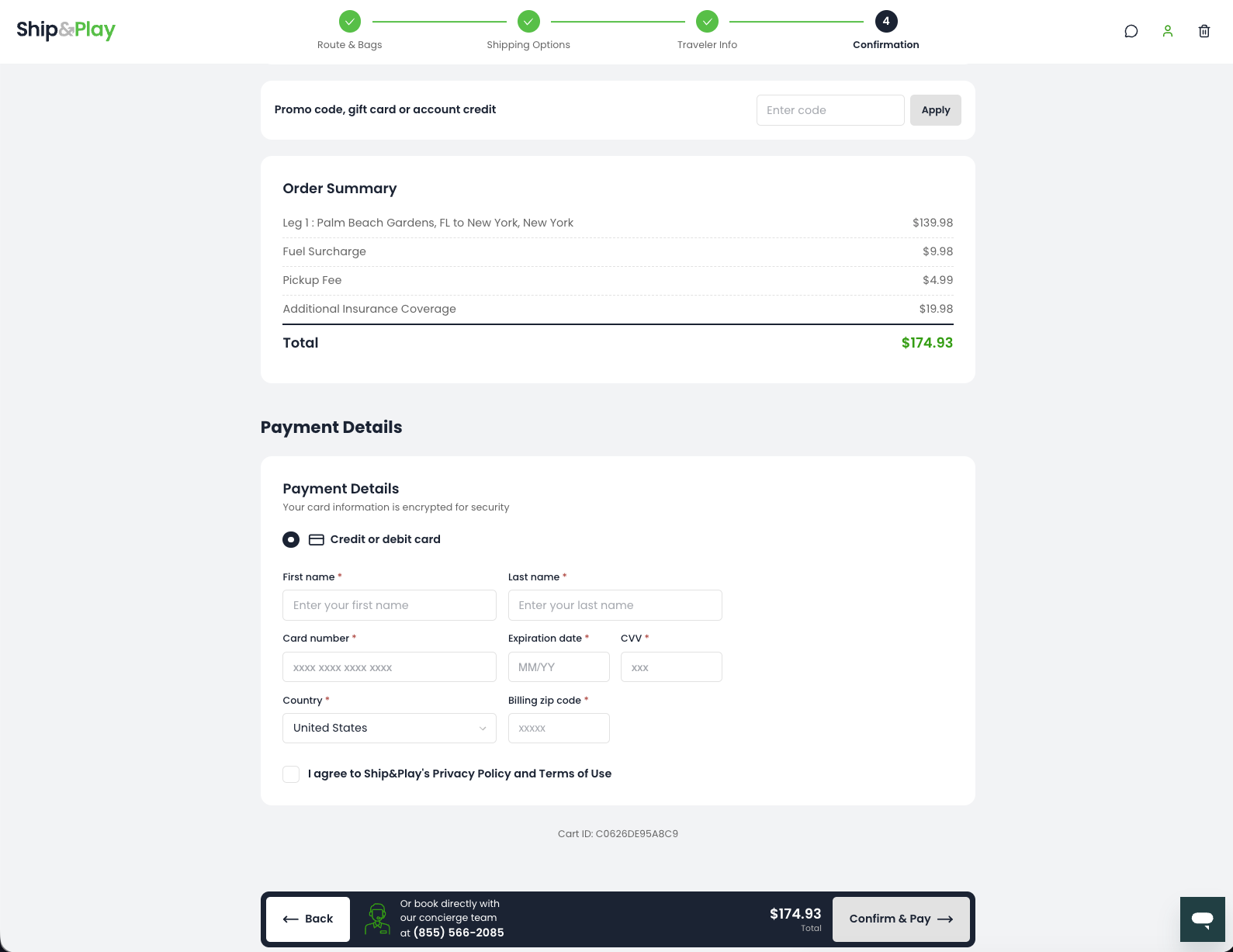
Step 6 — Payment
Key Training Points
  • Guests see a full itemized price breakdown — base rate, fuel surcharge, pickup fee, and insurance — before entering payment.
  • Payment is by credit or debit card. Card data is encrypted — guests see a security confirmation on screen.
  • Guests can apply a promo code, gift card, or account credit before completing payment.
Step 6 of 8
Step 7 — Confirmation
Key Training Points
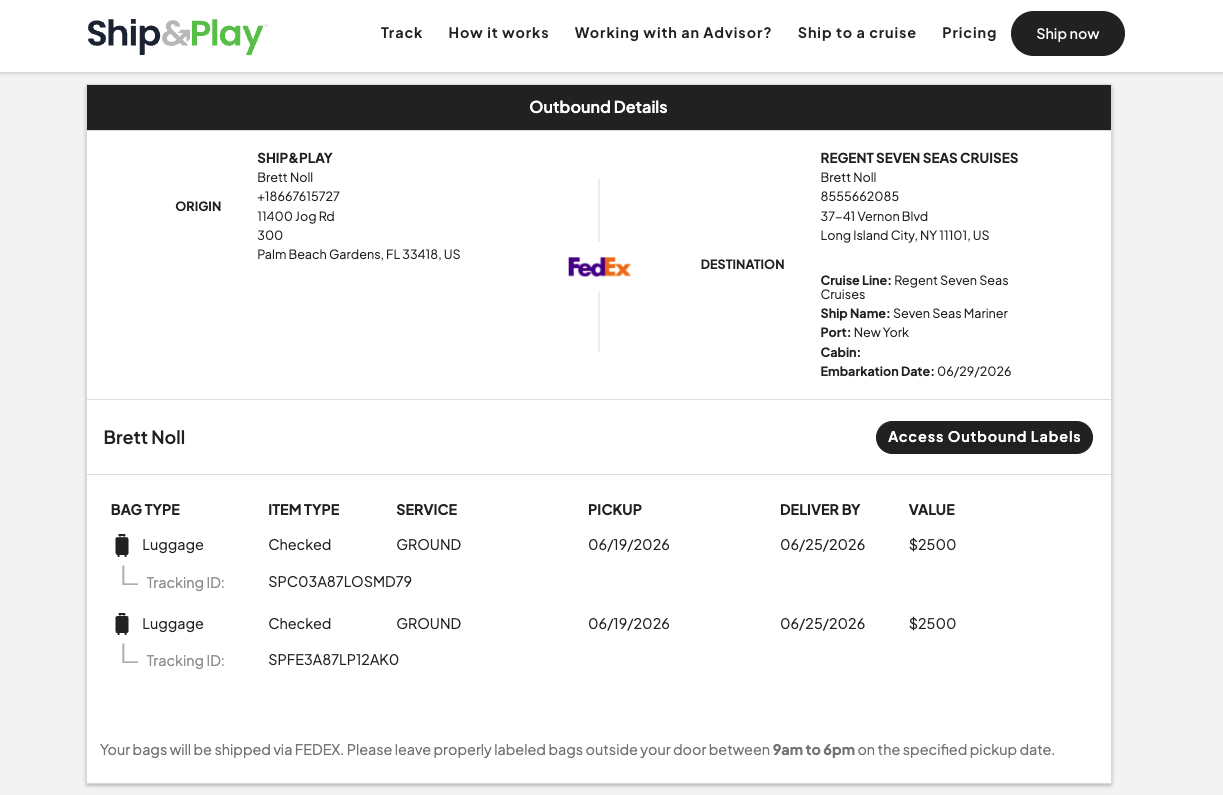
  • Guests receive a full outbound shipment summary with origin, destination, carrier, pickup date, guaranteed delivery date, and insured value.
  • Each bag gets a unique Ship&Play tracking ID — guests can monitor their bags individually from pickup to stateroom delivery.
  • Guests are reminded to leave labeled bags outside their door between 9am–6pm on their specified pickup date.
Step 7 of 8
Step 8 — Next Steps
Key Training Points
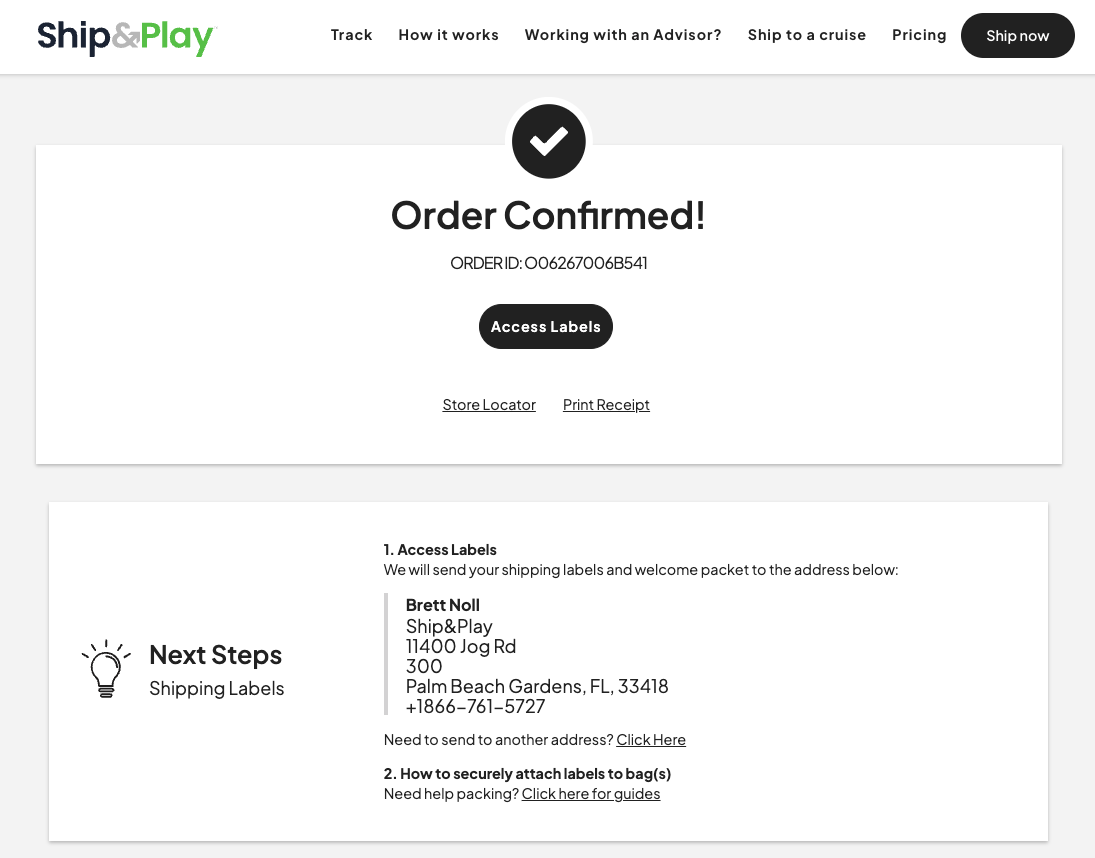
  • Guests see a unique Order ID and can immediately access and print their shipping labels from the confirmation screen.
  • Ship&Play also mails a physical welcome packet with pre-printed labels to the guest's address — no printing required for guests who prefer that.
  • Next steps on-screen guide guests through attaching labels to bags and link to packing guides — your team doesn't need to assist at this stage.
Step 8 of 8